

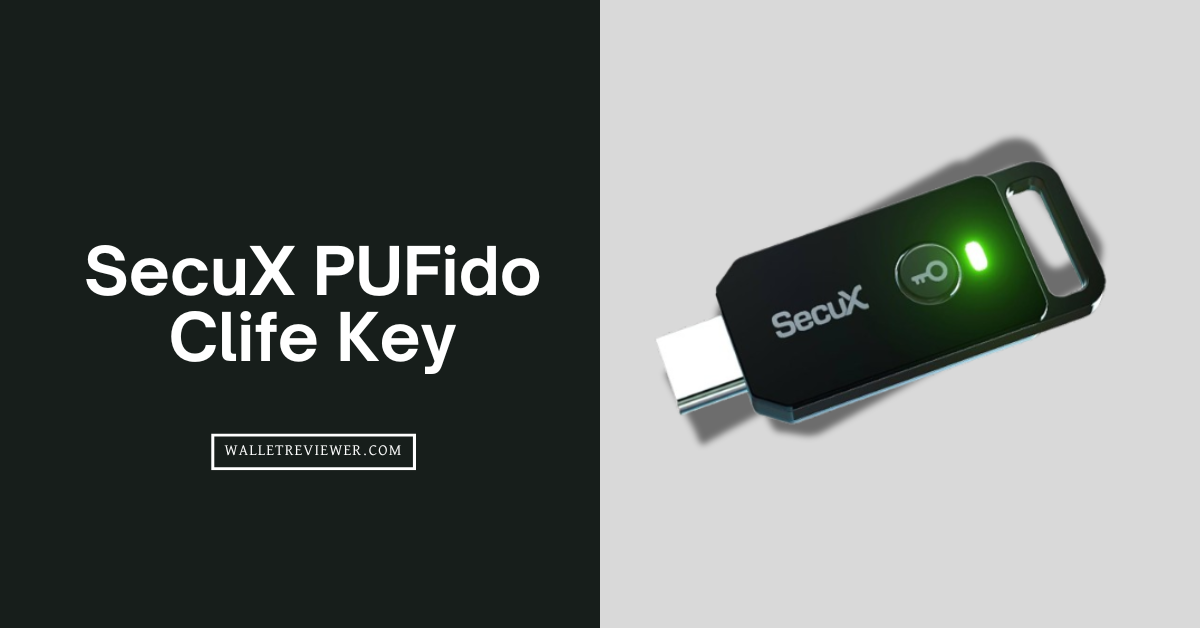
The SecuX PUFido Clife Key is a USB-C hardware security key that uses cutting-edge PUF technology to provide unclonable two-factor authentication (2FA) and passwordless login for online accounts.
It’s basically a small dongle for your keychain that keeps your crypto exchanges, emails, and other accounts safe by requiring a physical key to log in.
SecuX PUFido Clife Key Review: Quick Summary
| Device Type | USB-C Security Key (FIDO2/U2F authenticator) |
| Price | $39 USD per key (bulk discounts for 2+ keys) |
| Underlying Tech | PUF chip (Physically Unclonable Function) – no stored secrets |
| FIDO Standards | FIDO2 (WebAuthn CTAP2) and FIDO U2F certified |
| Compatibility | Windows, macOS, Linux, ChromeOS, iOS (16.3+), Android (7+) |
| Connection Interface | USB-C plug & play (no Bluetooth or NFC wireless) |
| Multi-Device Support | Yes (can register multiple keys per account (backup recommended)) |
| Security Features | Generates one-time keys on-the-fly; unclonable; tamper-resistant; phishing/SIM-swap resistant; quantum-resilient |
| User Authentication | Touch/tap presence confirmation (LED feedback) + optional FIDO2 PIN for passwordless usage |
| Size & Build | Compact (1.57″ x 0.79″ x 0.16″), lightweight (~0.7 oz); keychain-friendly design; durable build (made in Taiwan) |
| Use Cases | 2FA or passwordless login for crypto exchanges, financial accounts, emails, social media, and enterprise systems |
| Notable Limitations | USB-C only (needs adapter for USB-A devices); no NFC; cannot recover if lost (needs backup key) |
What is SecuX PUFido Clife Key?
The SecuX PUFido Clife Key is a physical security key that helps you log in to accounts with an extra layer of security, and it’s made specifically with crypto users in mind.

In simple terms, it’s a small USB-C stick that you plug into your device when logging in, and it acts like a personal ID check. I call it a 2FA key because it can either serve as your second factor (on top of a password) or even let you log in without a password (using FIDO2’s passwordless feature).
This key is different from the usual authenticator apps or SMS codes you might be used to. Instead of sending you a code, the PUFido key itself verifies your identity by cryptographically confirming it’s really you. It was introduced in 2025 by SecuX (a Taiwan-based security and crypto wallet company) as the world’s first FIDO2 key with PUF technology inside.
It works with tons of services because it’s FIDO2 and U2F certified, meaning it follows the industry standards that Google, Microsoft, Binance, Facebook, and many others support.
How does the SecuX PUFido key work?

The SecuX PUFido key works by creating a new secure login response each time you use it, instead of relying on any pre-stored secrets.
- First, you need to register the PUFido Clife Key with an account (for example, your Google account or a crypto exchange account) by adding it as a security key in your account’s 2FA settings.
- During registration, the key and the service exchange some data and establish a link, but even at that point, the PUFido isn’t saving a typical private key like other devices would. Instead, it will later recreate a key based on its PUF identity whenever needed.
When it’s time to log in, the process is straightforward from the user side:
- You have to enter your username and password (if it’s not passwordless), then the service asks for your security key.
- You need to plug the PUFido into the USB-C port (using an adapter if needed for devices that don’t have USB-C), and you touch the key’s sensor or button when prompted (the PUFido has a little LED that also acts as a touch confirmation indicator).
At that moment, inside the device, here’s what happens:
- The chip calls upon its internal PUF circuit; essentially, it “measures” its silicon fingerprint, and from that it derives a cryptographic key in real time.
- Well, this derived key is then used to sign the login challenge from the website. The website or app receives the signed response and verifies it with the public key that was initially registered. Since the response is correct and came from your unique device, the login succeeds.
Read: Best cold storage wallets
SecuX PUFido Clife Key Features
The PUFido Clife Key comes with a bunch of features focused on security, compatibility, and ease of use. Here’s a rundown of its standout features:
- No Stored Secrets: The key does not store any private keys or passwords internally. Every login uses a fresh, on-demand generated key, so there’s nothing sitting on the device that could be stolen. This is a huge departure from normal hardware tokens and is the core security feature.
- FIDO2 & U2F Support: It fully supports FIDO2 (WebAuthn) for modern passwordless authentication and FIDO U2F for traditional 2FA. This means it works with hundreds of services that follow these standards. You can use it for Google, Facebook, Twitter (X), Microsoft accounts, GitHub, and also crypto exchanges like Binance, KuCoin, and many more. It’s already FIDO certified, so compatibility isn’t an issue.
- Cross-Platform Compatibility: The Clife Key works on all major operating systems. You can use it on Windows, macOS, Linux, ChromeOS, iOS, and Android. On mobile devices, you might need the appropriate adapter (for example, a USB-C to Lightning adapter for older iPhones, or a USB-C OTG adapter for some Android phones), but generally it’s plug-and-play. Actually, Apple’s iOS added support for security keys, so as long as you have iOS 16.3 or later, you’re good to go with this on an iPhone (newer iPhones and iPads with USB-C can plug it directly).
- USB-C Plug & Play: The key has a USB-C connector and is super compact. There’s no battery to charge and no wireless pairing to mess with. You just insert it into a USB-C port when needed. It draws a tiny bit of power from the port, and that’s it. There’s no Bluetooth or NFC on this device; it’s a wired key, which actually reduces complexity (and potential wireless attack surface). The form factor is small enough to attach to a keychain so you can carry it around easily.
- LED Touch Confirmation: It features an LED indicator that also serves as a touch sensor. When you need to authenticate, the LED will blink, indicating that it’s waiting for a touch. You just tap the key’s surface (usually the part with the logo or the LED) to confirm your presence. This ensures that a rogue program can’t just use your key in the background; you physically approve the login by touching the device. The visual feedback is a nice touch (pun intended) because you know when the key is active.
- Tamper-Resistant Hardware: The internal chip is designed to be resistant to physical tampering and side-channel attacks. Because of the PUF design, even if someone probes the chip’s internals, they can’t extract a fixed secret. The device essentially has a built-in shield against hardware attacks. It’s also built with high-quality manufacturing (made in Taiwan with what they call “military-grade precision”), which implies good quality control and trustworthiness of the hardware.
- Phishing and Attack Protection: Using the PUFido key greatly reduces phishing risks and blocks common attacks. Since it uses FIDO protocols, it won’t authenticate on a fake website – the key cryptographically verifies the site’s domain as part of WebAuthn, so a phishing site with the wrong domain can’t trick your key. It also stops SIM swap attacks because you’re not relying on a phone number for 2FA. Basically, an attacker would need your physical key to do anything, which is very unlikely if you keep it safe.
- Fast One-Tap Login: In practice, logging in with this key is fast and simple. No typing codes, no waiting for SMS. Often it’s just plug in, tap, and you’re in. Once you’ve set it up, it’s actually quicker than most other 2FA methods. Many users (myself included) find that after getting used to hardware keys, going back to typing authentication codes feels slow.
- Future-Ready Security: The PUFido Clife Key is marketed as quantum-resistant. What they mean is that because there’s no stored static key that a future quantum computer could target, it adds some resilience if quantum attacks become a reality. Also, FIDO2 standards can evolve to include quantum-safe cryptography, and having a dynamic key generation approach might ease transitions. It’s a bit forward-looking, but it’s nice to know the device isn’t stuck in the past.
- Optional PIN for FIDO2: If you use it for passwordless logins (say, logging into Windows or a Microsoft account without a password, just using the key), you can set a PIN on the key. This way, even if someone stole your key, they would need to know the PIN to use it for those specific scenarios. The PIN never goes to any server; it’s checked internally on the device as a user verification method. This feature is part of the FIDO2 spec, and the Clife Key supports it, adding an extra layer when needed.
- Backup Key Support: While not a feature of the device’s hardware, it’s worth noting as a practice: SecuX encourages having a spare PUFido key registered to your accounts. The device is affordable, and having a backup means that if you misplace one, you can still log in with the other. This is a general feature of FIDO2 (multiple keys can be registered for one account). It’s more of a usage tip, but it’s mentioned prominently because losing your only key without backup can lock you out. So the “feature” here is that it’s easy to register more than one key.
Is SecuX PUFido Clife Key Safe to Use?
Yes, the SecuX PUFido Clife Key is extremely safe to use, especially when compared to app-based or SMS-based two-factor authentication methods. You are pretty much moving from the bottom tier of security straight to the top tier by using this device.
The main reason why it is so safe is that PUF technology eliminates the biggest vulnerability that every other security method has: a secret key being stored somewhere. We know that if a private key is stored, even in the most protected memory chip, there is a tiny, theoretical chance that someone with the right equipment and time could try to extract it.

But since the PUFido key literally generates the key using a physical, non-replicable process and then deletes it immediately, there is nothing for a hacker to clone or steal from the device’s memory. This is what makes it resistant to side-channel and invasive physical attacks, which are the scariest, most sophisticated attacks out there.
Beyond the “zero stored key” feature, the key’s FIDO2 certification means it is also immune to remote attacks like man-in-the-middle attacks and session hijacking. Because the key checks the exact origin of the login request, you are protected against those fake login pages we just talked about. I guess that really protects you from the social engineering tricks that are so common these days.
I must say, even with all this security, you should always follow the golden rule of 2FA: Always have a backup key. No way you want to lose access to your accounts if you misplace your main key. It is totally recommended that you buy a spare PUFido key and register it as your backup right away. You should keep that second key in a secure place, like a fireproof safe, just in case. Basically, the key is safe, but you need to be smart about your backup plan, too.
SecuX PUFido Clife Use Cases
The SecuX PUFido Clife Key can be used anywhere you need to secure an account or system with strong 2FA or passwordless login. Here are some common use cases where this key is really helpful:
- Cryptocurrency Exchanges and Accounts: If you trade or hold crypto on exchanges like Binance, Kraken, OKX, Bybit, etc., the PUFido key can protect your login.
- Email and Cloud Services: You can secure your Google Account, Gmail, Microsoft Outlook/Live accounts, Dropbox, and other cloud services with the Clife Key.
- Social Media and Personal Accounts: Accounts like Facebook, Twitter (X), Instagram (via Facebook’s support), Reddit, GitHub, and so on can often be tied to security keys. For instance, Twitter and Facebook both support security keys as 2FA methods. If you’re an influencer, content creator, or just someone who doesn’t want their account hijacked, using the PUFido key adds that physical verification step so no one else can log in as you and wreak havoc or steal your identity on those platforms.
- Enterprise and Work Accounts: Many companies use services that support FIDO2 keys – for example, logging into corporate Google Workspace, Microsoft 365/Azure AD accounts, VPNs, or other enterprise systems. The PUFido can be used as part of a passwordless login at work or as a second factor when connecting to company VPNs or dashboards. It’s great for remote workers or IT administrators who need higher security.
- Personal Devices & Operating Systems: You can even use the PUFido key to log into your computer or phone in some cases. Windows 10 and 11 have a feature called Windows Hello for Business that can integrate with FIDO2 security keys for logging into your PC without a password.
- Financial and Other Sensitive Accounts: Think beyond crypto – your online banking (if supported), stock trading platforms, payment services like PayPal (which does support security keys now), and anything that could impact your money or privacy is a good candidate. The key essentially reduces the risk of account takeovers wherever you use it.
Who Should Use SecuX PUFido Key?

- Crypto Investors and Traders: This group should actually consider this key as absolutely mandatory. If you have any significant value in cryptocurrencies, you are a prime target for hackers.
- Remote Workers and Business Owners: If you regularly access sensitive client data, company servers, or proprietary information from home or a coffee shop, you need to protect that access point.
- Privacy-Conscious Individuals: Honestly, if you are someone who is generally just worried about online surveillance, data breaches, and keeping your digital life private, moving to FIDO2 security with a PUF key is a smart, forward-thinking move.
- People Who Want to Go Passwordless: If you are totally tired of typing passwords, the PUFido key is your ticket to a faster, less annoying login experience. Once you set it up with FIDO2, you just plug it in, enter your PIN, and tap to log in. It is pretty simple and surprisingly fast once you get the hang of it.
PUFido vs. YubiKey: Key Differences
It’s natural to compare the SecuX PUFido Clife Key with a well-known alternative like the YubiKey (by Yubico), since both are popular hardware authenticators.
| Aspect | SecuX PUFido Clife Key | YubiKey (5 Series) |
|---|---|---|
| Core Technology | PUF-based hardware (no stored static keys); generates unique key per use | Secure element chip storing encrypted keys (traditional approach) |
| Unclonability | Physically unclonable; each device is one-of-a-kind due to silicon variations | Very hard to clone (keys are stored in tamper-resistant memory), but a stored key exists internally |
| 2FA Standards | FIDO2 (WebAuthn) and FIDO U2F certified (both protocols supported) | FIDO2 and U2F certified (plus supports OTP, Smart Card, etc. in some models) |
| Connection Options | USB-C connector only (no NFC, no Bluetooth). Requires adapter for USB-A ports. | Various models: USB-A, USB-C, some with NFC, one with dual USB-C/Lightning |
| Mobile Device Support | Yes | Yes |
| User Verification | Touch button (presence check) and PIN for FIDO2 | Touch button for presence on all models |
| Security Features | No secrets to steal; resistant to side-channel and physical attacks; marketed as quantum-resistant | Secrets stored in a secure chip; proven security track record. Not explicitly quantum-resistant (uses standard ECC/RSA crypto) |
| Open Source | Firmware is closed source (proprietary SecuX firmware). | Firmware is closed source on official YubiKeys (some parts are open, but not fully) |
| Price | $39 for one key | YubiKey 5 Series usually $45–$55 for NFC models, YubiKey Bio around $80, basic Security Key (FIDO-only) around $25 |
Final Thoughts
I honestly think it’s one of the most innovative yet practical security gadgets to come out in recent years, especially tailored for crypto users but useful for everyone. By using that PUF technology, it manages to boost security (no cloneable secrets, no database of keys that could leak) without making it harder for the user.
For anyone managing important online accounts, whether it’s a Bitcoin exchange or just your primary email, adding a hardware key like this is a smart move to protect yourself. It drastically reduces the chances of getting phished or hacked. At $39, it’s not very expensive considering the protection it provides.